 8839075805
Implements Phases 1-8 of the TFTSR implementation plan.

Rust backend (Tauri 2.x, src-tauri/):
- Multi-provider AI: OpenAI-compatible, Anthropic, Gemini, Mistral, Ollama
- PII detection engine: 11 regex patterns with overlap resolution
- SQLCipher AES-256 encrypted database with 10 versioned migrations
- 28 Tauri IPC commands for triage, analysis, document, and system ops
- Ollama: hardware probe, model recommendations, pull/delete with events
- RCA and blameless post-mortem Markdown document generators
- PDF export via printpdf
- Audit log: SHA-256 hash of every external data send
- Integration stubs for Confluence, ServiceNow, Azure DevOps (v0.2)

Frontend (React 18 + TypeScript + Vite, src/):
- 9 pages: full triage workflow NewIssue→LogUpload→Triage→Resolution→RCA→Postmortem→History+Settings
- 7 components: ChatWindow, TriageProgress, PiiDiffViewer, DocEditor, HardwareReport, ModelSelector, UI primitives
- 3 Zustand stores: session, settings (persisted), history
- Type-safe tauriCommands.ts matching Rust backend types exactly
- 8 IT domain system prompts (Linux, Windows, Network, K8s, DB, Virt, HW, Obs)

DevOps:
- .woodpecker/test.yml: rustfmt, clippy, cargo test, tsc, vitest on every push
- .woodpecker/release.yml: linux/amd64 + linux/arm64 builds, Gogs release upload

Verified:
- cargo check: zero errors
- tsc --noEmit: zero errors
- vitest run: 13/13 unit tests passing

Co-Authored-By: Claude Sonnet 4.6 (1M context) <noreply@anthropic.com>
32 lines
1.4 KiB
TypeScript
32 lines
1.4 KiB
TypeScript
/**
|
|
*
|
|
* This command helps you to debug your integration tests. It stops the running browser and gives
|
|
* you time to jump into it and check the state of your application (e.g. using dev tools).
|
|
* Your terminal transforms into a [REPL](https://en.wikipedia.org/wiki/Read%E2%80%93eval%E2%80%93print_loop)
|
|
* interface that will allow you to try out certain commands, find elements and test actions on
|
|
* them.
|
|
*
|
|
* [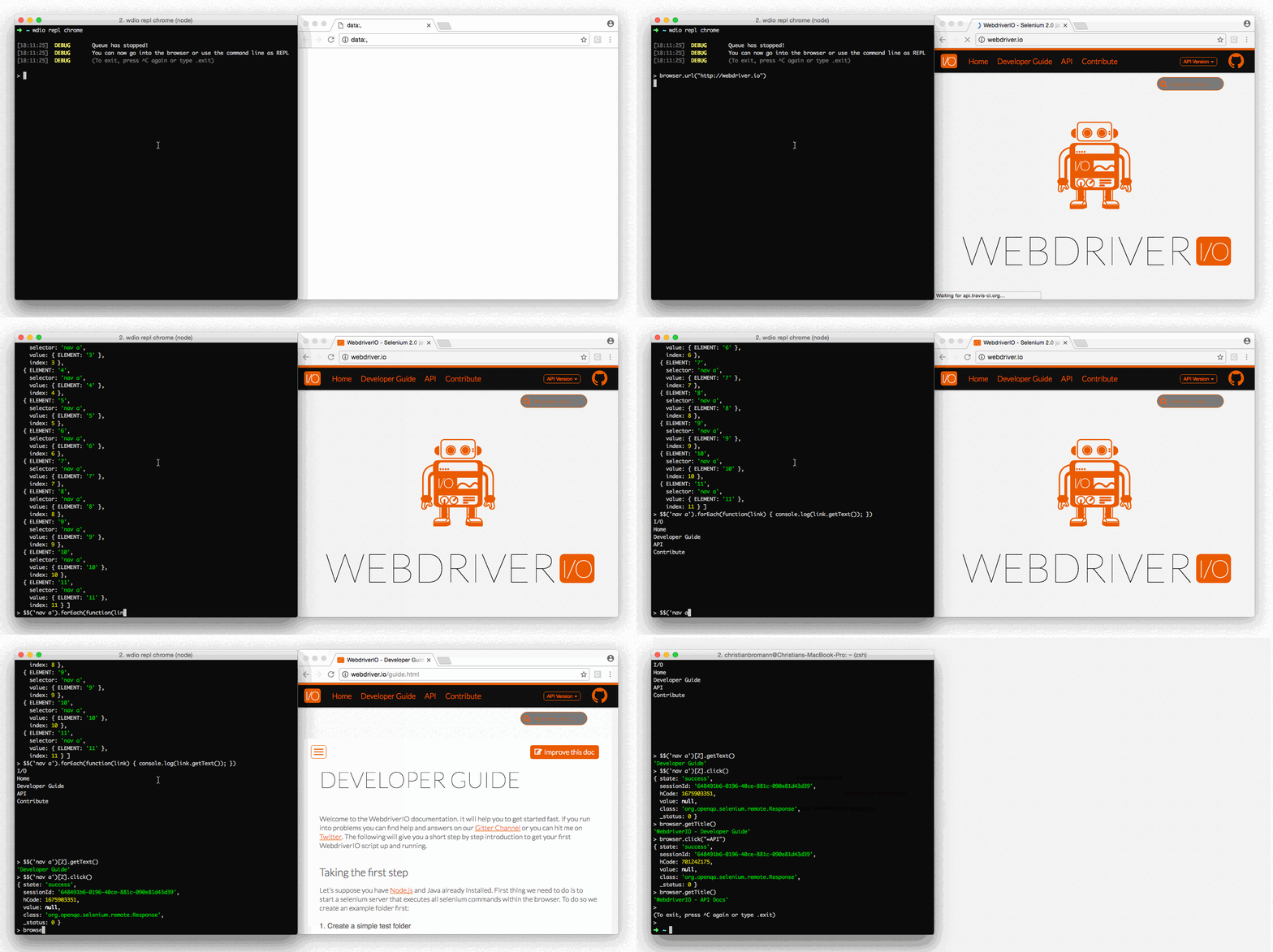](https://webdriver.io/img/repl.gif)
|
|
*
|
|
* If you run the WDIO testrunner make sure you increase the timeout property of the test framework
|
|
* you are using (e.g. Mocha or Jasmine) in order to prevent test termination due to a test timeout.
|
|
* Also avoid executing the command with multiple capabilities running at the same time.
|
|
*
|
|
* <iframe width="560" height="315" src="https://www.youtube.com/embed/xWwP-3B_YyE" frameborder="0" allowFullScreen></iframe>
|
|
*
|
|
* <example>
|
|
:debug.js
|
|
it('should demonstrate the debug command', async () => {
|
|
await $('#input').setValue('FOO')
|
|
await browser.debug() // jumping into the browser and change value of #input to 'BAR'
|
|
const value = await $('#input').getValue()
|
|
console.log(value) // outputs: "BAR"
|
|
})
|
|
* </example>
|
|
*
|
|
* @alias browser.debug
|
|
* @type utility
|
|
*
|
|
*/
|
|
export declare function debug(this: WebdriverIO.Browser, commandTimeout?: number): Promise<void | unknown>;
|
|
//# sourceMappingURL=debug.d.ts.map
|