32 lines
1.4 KiB
TypeScript
32 lines
1.4 KiB
TypeScript

|
/**
|
||
|
|
*
|
||
|
|
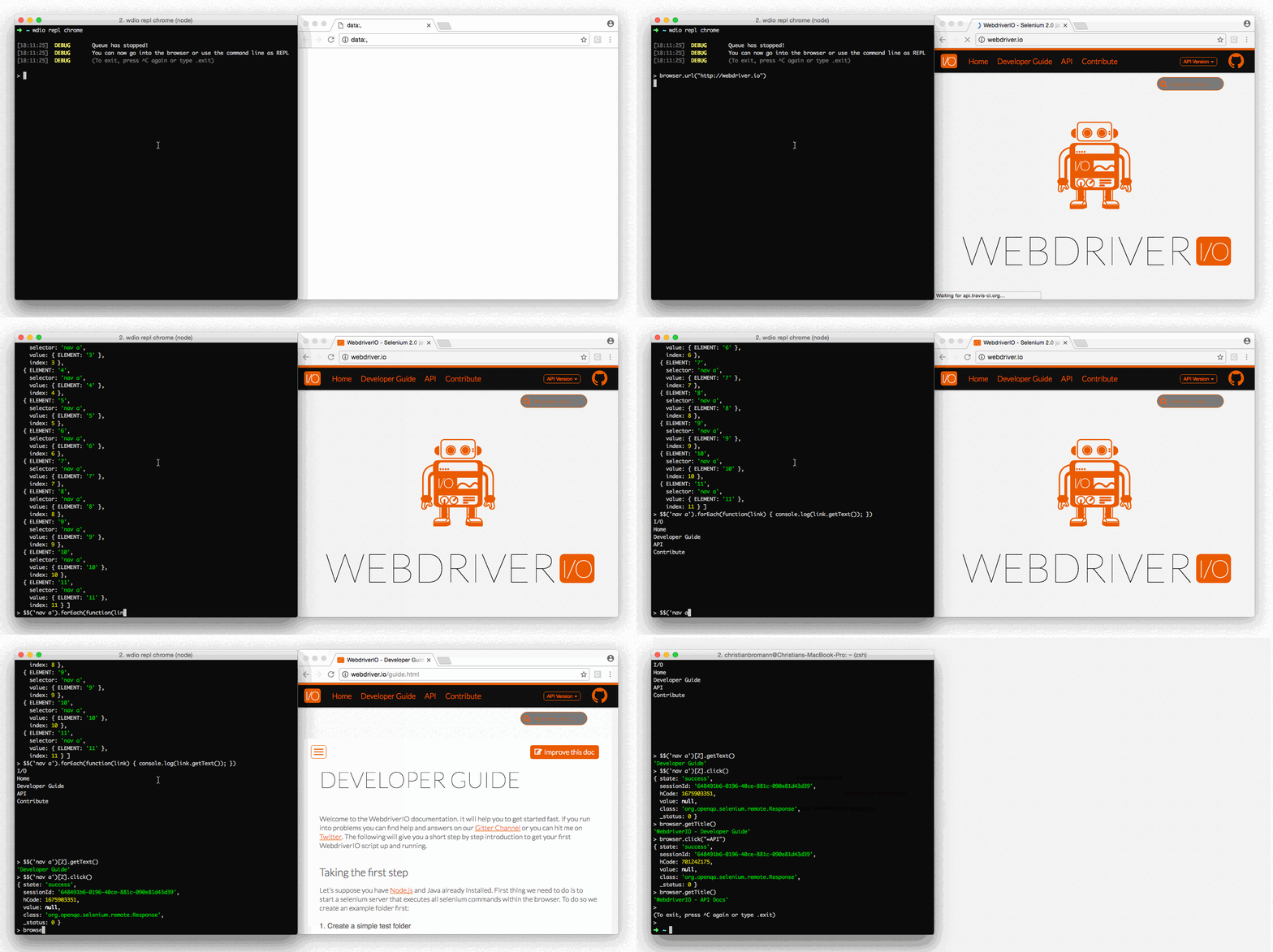
* This command helps you to debug your integration tests. It stops the running browser and gives
|
||
|
|
* you time to jump into it and check the state of your application (e.g. using dev tools).
|
||
|
|
* Your terminal transforms into a [REPL](https://en.wikipedia.org/wiki/Read%E2%80%93eval%E2%80%93print_loop)
|
||
|
|
* interface that will allow you to try out certain commands, find elements and test actions on
|
||
|
|
* them.
|
||
|
|
*
|
||
|
|
* [](https://webdriver.io/img/repl.gif)
|
||
|
|
*
|
||
|
|
* If you run the WDIO testrunner make sure you increase the timeout property of the test framework
|
||
|
|
* you are using (e.g. Mocha or Jasmine) in order to prevent test termination due to a test timeout.
|
||
|
|
* Also avoid executing the command with multiple capabilities running at the same time.
|
||
|
|
*
|
||
|
|
* <iframe width="560" height="315" src="https://www.youtube.com/embed/xWwP-3B_YyE" frameborder="0" allowFullScreen></iframe>
|
||
|
|
*
|
||
|
|
* <example>
|
||
|
|
:debug.js
|
||
|
|
it('should demonstrate the debug command', async () => {
|
||
|
|
await $('#input').setValue('FOO')
|
||
|
|
await browser.debug() // jumping into the browser and change value of #input to 'BAR'
|
||
|
|
const value = await $('#input').getValue()
|
||
|
|
console.log(value) // outputs: "BAR"
|
||
|
|
})
|
||
|
|
* </example>
|
||
|
|
*
|
||
|
|
* @alias browser.debug
|
||
|
|
* @type utility
|
||
|
|
*
|
||
|
|
*/
|
||
|
|
export declare function debug(this: WebdriverIO.Browser, commandTimeout?: number): Promise<void | unknown>;
|
||
|
|
//# sourceMappingURL=debug.d.ts.map
|