WebdriverIO Starter Toolkit [](https://github.com/webdriverio/webdriverio/blob/main/CONTRIBUTING.md)
===========================
 One command to create a fresh WebdriverIO project or add WebdriverIO to an existing project.
- [Get Started Guide](https://webdriver.io/docs/gettingstarted) - How to get started with WebdriverIO
- [Supported Options](#supported-options) - command line parameters
`create-wdio` works on macOS, Windows, and Linux.
One command to create a fresh WebdriverIO project or add WebdriverIO to an existing project.
- [Get Started Guide](https://webdriver.io/docs/gettingstarted) - How to get started with WebdriverIO
- [Supported Options](#supported-options) - command line parameters
`create-wdio` works on macOS, Windows, and Linux.
If something doesn’t work, please [file an issue](https://github.com/webdriverio/webdriverio/issues/new).
If you have questions or need help, please ask in our [Discord Support channel](https://discord.webdriver.io).
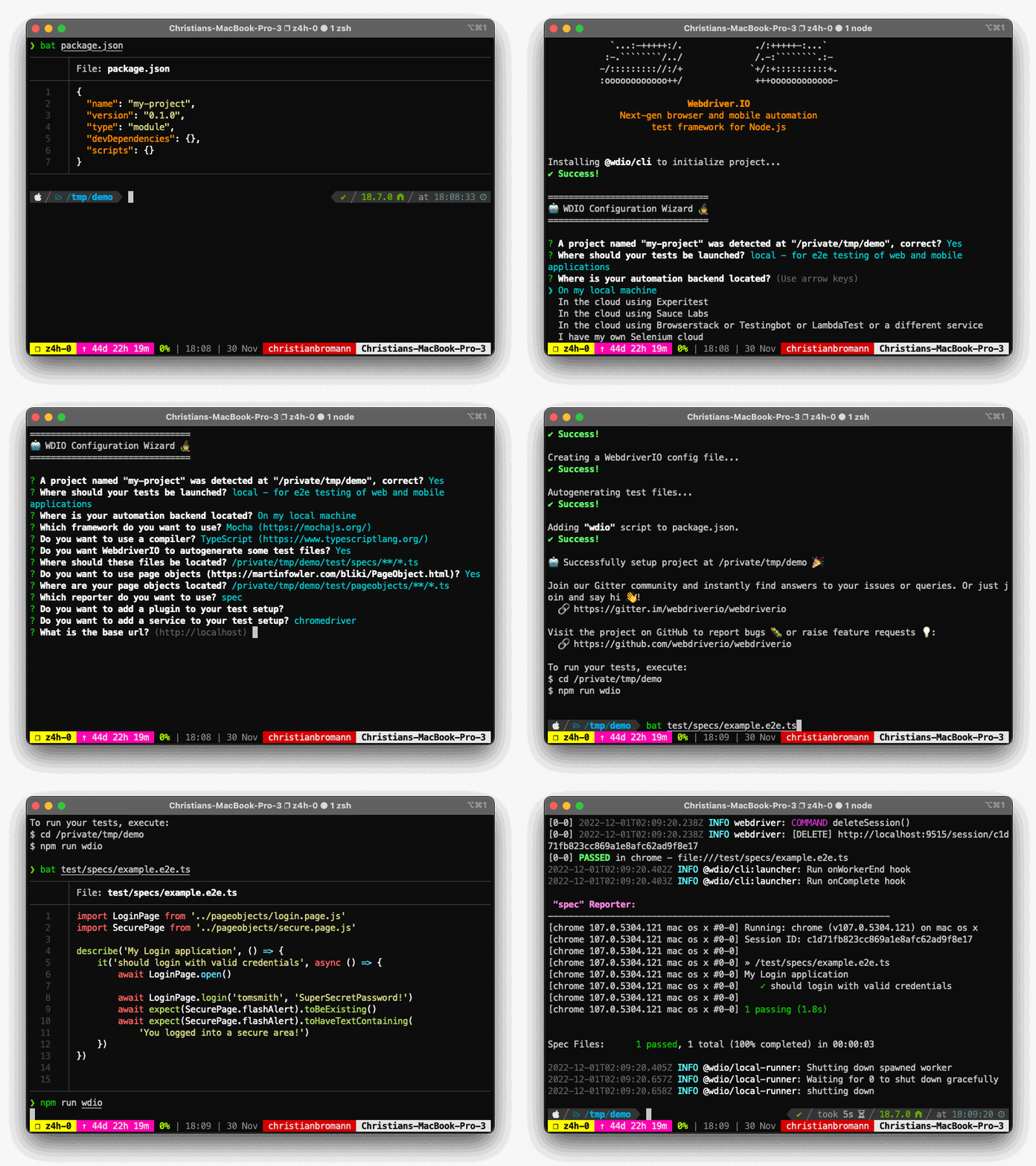
## Usage
To install a WebdriverIO project, you may choose one of the following methods:
#### npx
```sh
npx create-wdio@latest ./e2e
```
_[`npx`](https://medium.com/@maybekatz/introducing-npx-an-npm-package-runner-55f7d4bd282b) is a package runner tool that comes with npm 5.2+ and higher, see [instructions for older npm versions](https://gist.github.com/gaearon/4064d3c23a77c74a3614c498a8bb1c5f)_
#### npm
```sh
npm init wdio@latest ./e2e
```
_[`npm init `](https://docs.npmjs.com/cli/v10/commands/npm-init) is available in npm 6+_
#### yarn
```sh
yarn create wdio@latest ./e2e
```
_[`yarn create `](https://yarnpkg.com/lang/en/docs/cli/create/) is available in Yarn 0.25+_
#### pnpm
```sh
pnpm create wdio ./e2e
```
_[`pnpm create `](https://pnpm.io/cli/create) is available in pnpm v7+_
It will create a directory called `e2e` inside the current folder.
Then it will run the configuration wizard that will help you set-up your framework.
## Supported Options
You can pass the following command line flags to modify the bootstrap mechanism:
* `--dev` - Install all packages as `devDependencies` (default: `true`)
* `--yes` - Will fill in all config defaults without prompting (default: `false`)
* `--npm-tag` - use a specific NPM tag for `@wdio/cli` package (default: `latest`)
----
For more information on WebdriverIO see the [homepage](https://webdriver.io).