| .. | ||
| assets | ||
| endpoint-production.yaml | ||
| endpoint-test.yaml | ||
| overview.md | ||
| README.md | ||

Isaac GR00T N1.6 Fine-Tuning
Fine-tune and benchmark NVIDIA's GR00T N1.6 robotics foundation model on DGX Station
Table of Contents
- Overview
- Instructions
- Troubleshooting
- Issue:
git clonefails or demo videos are tiny / missing (Git LFS) - Issue:
GR1,demo_data/gr1.PickNPlace, or scripts do not match the playbook - Issue:
install_deps.shis not allowed on your machine (policy) or you need to know what it changes - Issue:
uv sync(Option B) appears stuck for hours buildingflash-attnon aarch64 - Issue:
install_deps.shfails building torchcodec - Issue:
huggingface-cli downloadfails with 401 Unauthorized - Issue:
huggingface-cli downloadfails withPermission denied: '/home/.../.cache/huggingface/hub/...' - Issue:
huggingface-cli downloadreturns500 Internal Server Errorfrom thexet-read-tokenendpoint - Issue:
externally-managed-environmentorpipinstalls not going into.venv - Issue: CUDA out of memory during fine-tuning
- Issue: Triton / PTXAS errors about
sm_103a(GB300 / Blackwell) - Issue:
ModuleNotFoundError: No module named 'gr00t' - Issue:
NotImplementedErroringet_frames_by_indiceswhen backend ispyav - Issue: Training “hangs” — low GPU utilization, no traceback, very slow steps
- Issue: Video decoding errors /
torchcodecnot found (general) - Issue: Training loss is not decreasing
- Issue:
nvidia-smishows the wrong GPU - Issue: OpenCV or decord cannot decode LIBERO AV1
- Issue:
Overview
Basic idea
NVIDIA Isaac GR00T N1.6 is a 3-billion-parameter open vision-language-action (VLA) foundation model for generalist humanoid robot skills. It combines a Cosmos-family vision-language backbone with a 32-layer Diffusion Transformer (DiT) action head that denoises continuous robot actions from multimodal input — language instructions and camera images. The model is pre-trained on a large mixture of robot demonstration data, then adapted to specific embodiments and tasks through fine-tuning.
High-level architecture (VLM + DiT action head), as in the upstream Isaac GR00T repo:
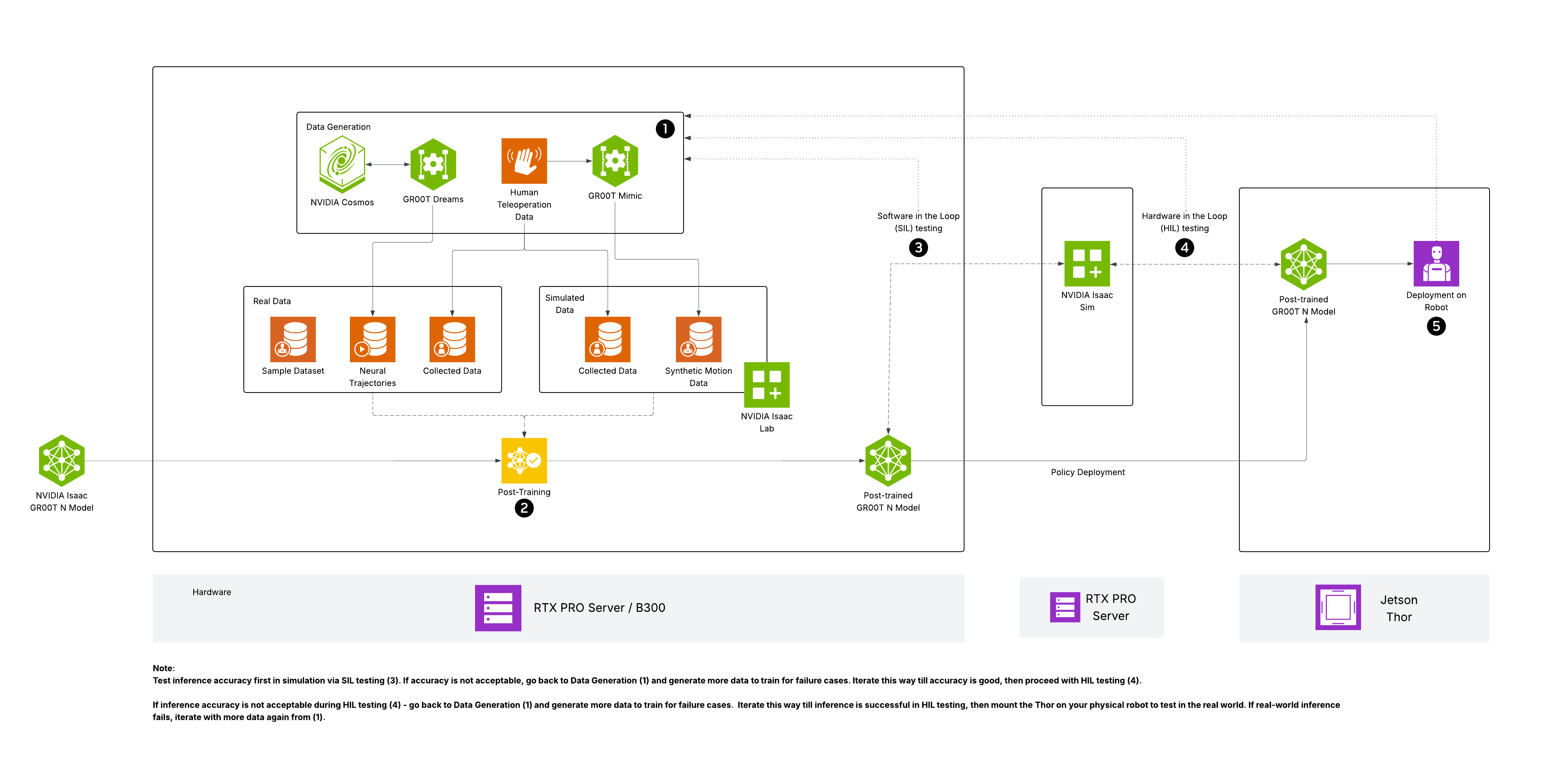
Source: NVIDIA Isaac GR00T — media/GR00T-reference-arch-diagram.png. If the local image above is missing, the upstream copy is at https://raw.githubusercontent.com/NVIDIA/Isaac-GR00T/n1.6-release/media/GR00T-reference-arch-diagram.png.

In this playbook you will fine-tune GR00T N1.6 on the LIBERO Spatial benchmark on a DGX Station with GB300 (large unified memory). That setup supports a high global batch size (128) on a single GPU, which improves training throughput compared to typical 24–80 GB consumer or datacenter GPUs.
LIBERO Spatial (what you are fine-tuning on)
LIBERO Spatial is part of the LIBERO suite of simulated tabletop manipulation benchmarks. The spatial split emphasizes where objects need to be placed: tasks such as putting a bowl on a stove burner vs a plate, placing utensils in a mug vs next to it, or moving objects to left/right/front targets on the table. Episodes include third-person RGB video, proprioceptive state, language instructions, and continuous end-effector actions in a consistent LeRobot v2 layout. Understanding these constraints helps when you read training logs or open-loop evaluation plots.
What kind of fine-tuning this playbook uses
This playbook runs the default Isaac GR00T fine-tuning recipe from launch_finetune.py: not full-model weight updates of the entire 3B VLM. In the stock configuration, training focuses on the action head (DiT) and projector / adapter paths that map observations into the action model, with strong state dropout and color jitter so the policy leans on vision. Optional flags such as --tune-llm or --tune-visual (mentioned under Next steps) trade compute and memory for updating more of the backbone. LoRA is not the default here; if your team uses LoRA or other PEFT variants, treat that as a separate configuration branch from this playbook.
NVIDIA DGX Station (why this hardware)
DGX Station is a deskside AI system built for large-memory GPU training and inference (this playbook targets GB300 with 284 GB HBM3e). Beyond robotics, the same class of machine supports large-model fine-tuning, RAG serving, multi-modal training, and CUDA research where single-GPU memory and bandwidth dominate. For GR00T, the headline benefit is fitting much larger batch sizes per GPU than on smaller cards, which stabilizes gradients and improves samples per second when the data pipeline keeps up.
What you'll accomplish
- Check out the
n1.6-releasebranch of Isaac GR00T so commands, embodiment tags, anddemo_data/match GR00T N1.6 - Set up the environment with
uv(project-local.venv) and understand what the optionalinstall_deps.shscript changes on the system - Apply the recommended PyAV
get_frames_by_indicespatch whentorchcodecis unavailable so LIBERO AV1 video decoding does not stall on an ffmpeg subprocess fallback - Verify the base model, fine-tune on LIBERO Spatial at batch size 128, run open-loop evaluation, and measure inference latency (with GB300 / Blackwell TorchDynamo compilation notes)
What to know before starting
- Familiarity with Python virtual environments (
source .venv/bin/activate) - Familiarity with PyTorch training concepts (batch size, loss, checkpoints)
- Basic robot manipulation vocabulary (trajectories, observations, actions)
- Comfort running commands that may use
sudofor system packages (or use the documented user-space alternative)
Prerequisites
- NVIDIA DGX Station with GB300 (Blackwell SM103, 284 GB HBM3e)
- CUDA toolkit usable by PyTorch:
nvcc --versionshould show CUDA 12.8+ (often already under/usr/local/cudaon DGX images) - Git and Git LFS (
git lfs version) — LFS is required for some demo assets and submodules; install withsudo apt-get install -y git-lfsthengit lfs installif missing - Hugging Face account and HF_TOKEN for model and dataset downloads
- Network access to Hugging Face, GitHub, and PyPI
- At least ~30 GB free disk for
.venv, checkpoints, and the LIBERO download
Time & risk
- Duration: ~45 minutes end-to-end when the video backend is healthy (setup, downloads, ~20–25 min training at 2000 steps, eval and inference)
- Risks:
scripts/deployment/dgpu/install_deps.shperforms system-levelaptoperations and may install the CUDA 12.8 toolkit if/usr/local/cudais absent (see Instructions). Model download requires Hugging Face authentication. - Rollback: Remove the cloned
Isaac-GR00Tdirectory and optionallyrm -rf ~/.local/share/uvif you want to reclaimuvcaches. Revertingapt-installed packages is a separate admin task; the playbook does not uninstall them automatically. - Last Updated: 05/26/2026
- First Publication
Instructions
Step 1. Clone Isaac GR00T and install dependencies
1a. Git LFS (required for a clean clone)
If git clone fails with errors about Git LFS or missing pointer files, install and initialize LFS, then remove any partial Isaac-GR00T directory and clone again:
sudo apt-get update
sudo apt-get install -y git-lfs
git lfs install
1b. Clone and check out n1.6-release
The main branch tracks ongoing development (for example newer GR00T milestones) and does not always match this N1.6 playbook. Embodiment tags such as GR1, paths like demo_data/gr1.PickNPlace, and tutorial scripts are aligned with the n1.6-release branch.
git clone --recurse-submodules https://github.com/NVIDIA/Isaac-GR00T
cd Isaac-GR00T
git fetch origin
git checkout n1.6-release
git submodule update --init --recursive
1c. Install Python dependencies
Option A — install_deps.sh (matches upstream docs; uses sudo)
This script is the supported path. It may make system-level changes:
- Runs
apt-get updateand installsffmpegandlibaio-dev - If
/usr/local/cudais missing, adds the NVIDIA CUDA apt repository and installscuda-toolkit-12-8 - Installs
uvinto your user account if needed, then runsuv syncanduv pip install -e .into the project.venv - On aarch64 only: installs FFmpeg development packages and builds
torchcodecfrom source into.venv
I_CONFIRM_THIS_IS_NOT_A_LICENSE_VIOLATION=1 bash scripts/deployment/dgpu/install_deps.sh
Option B — User-space only (no install_deps.sh)
Use this only when CUDA 12.8+ is already installed, system ffmpeg / libaio-dev are already present, and your policy forbids the script's apt or CUDA steps. From the Isaac-GR00T repo root, install uv if needed, then:
command -v uv >/dev/null || curl -LsSf https://astral.sh/uv/install.sh | sh
export PATH="/usr/local/cuda/bin:$HOME/.local/bin:$PATH"
export CUDA_HOME=/usr/local/cuda
uv sync
uv pip install -e .
You still need a working video backend for LIBERO (see Step 2). On aarch64, building torchcodec inside .venv without the script is possible but manual; see Troubleshooting.
Important
PATHandCUDA_HOMEmatter on multi-toolkit hosts. If the system has both an old Ubuntunvidia-cuda-toolkitpackage (/usr/bin/nvcc≈ 12.0) and a current NVIDIA CUDA repo install (/usr/local/cuda-13.x/bin/nvcc),uvwill pick whichever appears first onPATH. Putting/usr/local/cuda/binfirst (and exportingCUDA_HOME) is required forflash-attn's source build to find the matching toolkit. Verify withnvcc --versionafter the export.
Warning
flash-attnbuild on aarch64 takes ~2 hours from source. The upstreampyproject.tomlonly lists pre-builtflash-attn==2.7.4.post1wheels forx86_64; on aarch64 (Grace + GB300),uv syncfalls back to compiling ~72 CUDA kernels from source. A faster route is to pinflash-attn==2.8.1and reuse the GitHub release's prebuilt aarch64 wheel:# In pyproject.toml under [project] dependencies: "flash-attn==2.8.1", # In [tool.uv.sources]: flash-attn = [ { url = "https://github.com/Dao-AILab/flash-attention/releases/download/v2.8.1/flash_attn-2.8.1+cu12torch2.10cxx11abiTRUE-cp312-cp312-linux_aarch64.whl", marker = "sys_platform == 'linux' and platform_machine == 'aarch64' and python_version == '3.12'" }, ]With this pin,
uv syncfinishes in ~1 minute on aarch64 instead of ~2 hours. The wheel works against torch 2.10. Verified on GB300 + CUDA 13.1 in this playbook's validation run.
Activate the virtual environment:
source .venv/bin/activate
Verify GPU access:
CUDA_VISIBLE_DEVICES=0 python -c "import torch; print(torch.cuda.get_device_name(0))"
Expected output: NVIDIA GB300
Note
Examples in this playbook use
CUDA_VISIBLE_DEVICES=0because the GB300 is at index0on a single-GPU Station. On a multi-GPU Station (for example RTX PRO 6000 + GB300), the GB300 may be at a different index — runnvidia-smi --query-gpu=index,name --format=csv,noheader, find the GB300 row, and substitute that index everywhereCUDA_VISIBLE_DEVICES=0appears below.
Step 2. PyAV patch for LIBERO video (strongly recommended)
On many stacks torchcodec fails to import or build, the resolver falls back to pyav, and stock n1.6-release can raise NotImplementedError from get_frames_by_indices for the pyav backend (fallback order is already torchcodec → decord → pyav → ffmpeg). Without this patch, training may appear hung: GPU idle, no traceback, while ffmpeg spawns per-frame decode work on the CPU.
From the Isaac-GR00T repo root with n1.6-release checked out and .venv activated:
git apply /path/to/dgx-station-playbooks/nvidia/station-gr00t/assets/patches/001-pyav-get-frames-by-indices.patch
uv pip install av
If you copied nvidia/station-gr00t/assets/patches/ into the Isaac-GR00T root instead, use git apply assets/patches/001-pyav-get-frames-by-indices.patch.
Details and re-apply rules: nvidia/station-gr00t/assets/patches/README.md.
After patching, repeated log lines such as Video backend 'torchcodec' is not available, falling back to 'pyav' are expected and noisy but not fatal.
Step 3. Set up HuggingFace authentication
export HF_TOKEN="your_huggingface_token"
Get a token from https://huggingface.co/settings/tokens if you don't have one.
Step 4. Download the dataset and model
Download the LIBERO Spatial dataset and the GR00T N1.6 base model:
## Download LIBERO Spatial dataset (~2-3 GB)
huggingface-cli download \
    --repo-type dataset IPEC-COMMUNITY/libero_spatial_no_noops_1.0.0_lerobot \
    --local-dir examples/LIBERO/libero_spatial_no_noops_1.0.0_lerobot/

## Copy the LIBERO modality config into the dataset's meta/ directory
cp examples/LIBERO/modality.json \
    examples/LIBERO/libero_spatial_no_noops_1.0.0_lerobot/meta/

## Download GR00T N1.6 base model (~6 GB)
huggingface-cli download nvidia/GR00T-N1.6-3B
Note
HF cache permission errors: If
huggingface-cli downloadfails withPermission denied: '/home/.../.cache/huggingface/hub/...', the cache directory was previously created by a Docker container running as root (common on shared dev boxes). Point HF at a user-owned cache for this run:export HF_HOME=$HOME/hf_cache_gr00tTransient
xet-read-token500 errors: Hugging Face's xet backend occasionally returns500 Internal Server Errorfor dataset downloads. Disable it:export HF_HUB_DISABLE_XET=1
Verify the dataset is ready:
ls examples/LIBERO/libero_spatial_no_noops_1.0.0_lerobot/meta/modality.json
Expected result: the command prints the full path to modality.json (and ls exits 0). That confirms the merged modality file exists next to the downloaded LeRobot dataset metadata.
Step 5. Verify the base model loads and runs
Confirm the GR00T N1.6 base model loads and produces actions using the GR1 demo shipped on n1.6-release:
TORCHDYNAMO_DISABLE=1 CUDA_VISIBLE_DEVICES=0 python scripts/deployment/standalone_inference_script.py \
    --model-path nvidia/GR00T-N1.6-3B \
    --dataset-path demo_data/gr1.PickNPlace \
    --embodiment-tag GR1 \
    --traj-ids 0 \
    --inference-mode pytorch \
    --action-horizon 8 \
    --steps 32
TORCHDYNAMO_DISABLE=1 avoids torch.compile / Triton paths that can fail on GB300 with ptxas-blackwell fatal: Value 'sm_103a' is not defined for option 'gpu-name'. Keep it on all standalone_inference_script.py invocations in this playbook unless you have a Triton build that supports SM103.
You should see per-step timing output and no errors. This confirms the model, CUDA, and data pipeline work before a long fine-tuning run.
Note
The base model's pretrained processor does not include the
LIBERO_PANDAembodiment configuration, so you cannot run this standalone script on the LIBERO dataset with the base checkpoint alone. The LIBERO modality config is registered during fine-tuning. That is expected — LIBERO is a post-training benchmark.
Step 6. Fine-tune GR00T N1.6 on LIBERO Spatial
Fine-tune the base model on LIBERO Spatial. DGX Station's GB300 GPU with 284 GB HBM3e allows a global batch size of 128 — roughly several times what fits on a typical 80 GB GPU. Larger batches stabilize gradients and improve wall-clock throughput when the dataloader keeps the GPU fed.
CUDA_VISIBLE_DEVICES=0 python \
    gr00t/experiment/launch_finetune.py \
    --base-model-path nvidia/GR00T-N1.6-3B \
    --dataset-path examples/LIBERO/libero_spatial_no_noops_1.0.0_lerobot/ \
    --embodiment-tag LIBERO_PANDA \
    --num-gpus 1 \
    --output-dir output/libero_spatial_ft \
    --save-steps 500 \
    --save-total-limit 5 \
    --max-steps 2000 \
    --global-batch-size 128 \
    --learning-rate 1e-4 \
    --warmup-ratio 0.05 \
    --weight-decay 1e-5 \
    --state-dropout-prob 0.8 \
    --color-jitter-params brightness 0.3 contrast 0.4 saturation 0.5 hue 0.08 \
    --dataloader-num-workers 4
If GPU utilization stays near zero for many minutes while the process is alive, suspect video decoding (see Step 2 patch and Troubleshooting). You can try --dataloader-num-workers 8 if CPU cores are available.
Training runs for 2000 steps at batch size 128 and takes approximately 20–25 minutes on GB300 when torchcodec is the active video backend.
Important
With the PyAV fallback (Step 2 patch + no torchcodec), expect ~5–6 s per step instead of <1 s — so 2000 steps is closer to 2.5–3 hours, and GPU utilization sits in the 3–30 % range while CPU-side video decoding starves the GPU. To validate the workflow without the long wait, lower
--max-steps(e.g.100) and--save-steps(e.g.50); loss should still drop visibly (validated drop 1.07 → 0.63 in 100 steps in this playbook's GB300 run). If you need full-throughput training, buildtorchcodecfrom source (Troubleshooting → "Video decoding errors") or run Option A which builds it for you.
Note
This playbook uses 2000 steps to keep execution time under an hour. For production-quality results closer to the published 97.65% success rate on LIBERO Spatial, increase to 20,000 steps (
--max-steps 20000). Published settings used batch size 640 across 8 GPUs — 128 on one GB300 exceeds the per-GPU batch in that reference.
What the training flags mean:
| Flag | Value | Purpose |
|---|---|---|
--global-batch-size |
128 | Total samples per training step; enabled by GB300 memory. |
--state-dropout-prob |
0.8 | Drops proprioceptive state 80% of the time so the model relies on vision. |
--color-jitter-params |
brightness/contrast/saturation/hue | Photometric augmentation for lighting robustness. |
--warmup-ratio |
0.05 | Linear LR warmup over the first 5% of steps. |
--save-steps |
500 | Checkpoint cadence under output/libero_spatial_ft/. |
Monitor the Hugging Face Trainer loss in the terminal. Checkpoints land under output/libero_spatial_ft/.
Step 7. Evaluate the fine-tuned model
Open-loop evaluation compares predicted actions to dataset ground truth and writes plots to /tmp/open_loop_eval/:
CUDA_VISIBLE_DEVICES=0 python gr00t/eval/open_loop_eval.py \
    --dataset-path examples/LIBERO/libero_spatial_no_noops_1.0.0_lerobot/ \
    --embodiment-tag LIBERO_PANDA \
    --model-path output/libero_spatial_ft/checkpoint-2000/ \
    --traj-ids 0 1 2 \
    --action-horizon 16
How to read the run: the terminal prints per-trajectory MSE/MAE and averages. The JPEGs under /tmp/open_loop_eval/ overlay predicted vs ground-truth trajectories per action dimension (translation, rotation, gripper). Use them to confirm the policy tracks pick-and-place phases and gripper open/close timing on spatial tasks.
Tip
At 2000 steps you should see clear improvement over a random policy; at 20,000 steps, published LIBERO Spatial success reaches 97.65% in closed-loop sim.
Step 8. Run inference on a LIBERO sample (timing + actions)
This step passes LIBERO Spatial observations through the fine-tuned checkpoint (the base model cannot run this embodiment). TORCHDYNAMO_DISABLE=1 is included for GB300:
TORCHDYNAMO_DISABLE=1 CUDA_VISIBLE_DEVICES=0 python scripts/deployment/standalone_inference_script.py \
    --model-path output/libero_spatial_ft/checkpoint-2000/ \
    --dataset-path examples/LIBERO/libero_spatial_no_noops_1.0.0_lerobot/ \
    --embodiment-tag LIBERO_PANDA \
    --traj-ids 0 \
    --inference-mode pytorch \
    --action-horizon 8
What to inspect: the script prints a timing breakdown (data processing, backbone, action head, end-to-end). Compare MSE/MAE and latency to Step 5's base-model smoke test. In eager mode (with TORCHDYNAMO_DISABLE=1), per-step latency on GB300 depends heavily on the torch + CUDA stack — expect ~3–4 s/step on torch 2.10 + cu130 in eager mode (validated in this playbook's run on a fine-tuned checkpoint-100); a compiled torch 2.7 + cu128 stack with Triton support for sm_103 can be much faster. Treat the "Backbone vs Action head" split as the more stable signal across stacks.
Step 9. Clean up
deactivate
cd ..
rm -rf Isaac-GR00T
Fine-tuned checkpoints under output/libero_spatial_ft/ are removed with the repo. Copy them elsewhere first if you want to keep them.
Next steps
- Increase training steps —
--max-steps 20000for stronger LIBERO Spatial alignment (~3.5 hours at the same throughput). - Other LIBERO suites —
libero_10_no_noops,libero_goal_no_noops,libero_object_no_noopsfrom IPEC-COMMUNITY on Hugging Face. - Closed-loop sim — LIBERO sim server/client: LIBERO evaluation in Isaac GR00T.
- Custom embodiments — Fine-tune a new embodiment (LeRobot v2 + modality JSON).
- Tune more of the stack —
--tune-llm/--tune-visualraise memory use; probe batch size if you enable them.
Troubleshooting
Common Issues
Issue: git clone fails or demo videos are tiny / missing (Git LFS)
Solution:
sudo apt-get install -y git-lfs
git lfs install
Remove any partial Isaac-GR00T directory, then clone again with --recurse-submodules.
Issue: GR1, demo_data/gr1.PickNPlace, or scripts do not match the playbook
Cause: The repository default branch (main) may track a newer GR00T line (for example N1.7) with different embodiment tags and demo layouts.
Solution:
cd Isaac-GR00T
git fetch origin
git checkout n1.6-release
git submodule update --init --recursive
Always run playbook commands from n1.6-release for N1.6 + GR00T-N1.6-3B.
Issue: install_deps.sh is not allowed on your machine (policy) or you need to know what it changes
Facts: scripts/deployment/dgpu/install_deps.sh runs sudo apt-get to install ffmpeg, libaio-dev, and (on aarch64) FFmpeg development libraries for the torchcodec build. If /usr/local/cuda does not exist, it adds the NVIDIA CUDA apt repo and installs cuda-toolkit-12-8. It also installs uv into the user account if missing, then uv sync + uv pip install -e . into .venv.
Solution (policy-friendly): Pre-install the same system packages and CUDA using your IT process, ensure nvcc works, then from the repo root:
export PATH="$HOME/.local/bin:$PATH"
uv sync
uv pip install -e .
On aarch64, you still need torchcodec in .venv or rely on the PyAV patch (Instructions Step 2) plus uv pip install av.
Issue: uv sync (Option B) appears stuck for hours building flash-attn on aarch64
Cause: Upstream pyproject.toml lists pre-built flash-attn==2.7.4.post1 wheels only for linux_x86_64. On aarch64 (Grace + GB300), uv falls back to a from-source build that compiles ~72 CUDA kernels — typically ~2 hours end-to-end.
Solution: Pin to flash-attn==2.8.1 and use the GitHub release's prebuilt aarch64 wheel. Edit pyproject.toml in the repo root:
## under [project] dependencies, replace:
## "flash-attn==2.7.4.post1",
"flash-attn==2.8.1",

## under [tool.uv.sources], add:
flash-attn = [
    { url = "https://github.com/Dao-AILab/flash-attention/releases/download/v2.8.1/flash_attn-2.8.1+cu12torch2.10cxx11abiTRUE-cp312-cp312-linux_aarch64.whl",
      marker = "sys_platform == 'linux' and platform_machine == 'aarch64' and python_version == '3.12'" },
]
The cu12torch2.10 aarch64 wheel works against torch 2.10 (cu128 or cu130 builds). Validated on GB300 + CUDA 13.1 — uv sync completes in ~1 minute instead of ~2 hours. Track upstream Isaac-GR00T for a future commit that bakes this in.
If you must keep flash-attn==2.7.4.post1 (Option A path), expect the 2-hour build on first sync; subsequent uv sync invocations re-use the cached wheel.
Issue: install_deps.sh fails building torchcodec
Solution:
Ensure the license confirmation env var is set:
I_CONFIRM_THIS_IS_NOT_A_LICENSE_VIOLATION=1 bash scripts/deployment/dgpu/install_deps.sh
If the build still fails, install FFmpeg development libraries:
sudo apt-get install -y libavdevice-dev libavfilter-dev libavformat-dev \
    libavcodec-dev libavutil-dev libswresample-dev libswscale-dev \
    pkg-config cmake build-essential pybind11-dev
Then apply Instructions Step 2 (PyAV patch) so training does not depend on a working torchcodec for indexed frame reads.
Issue: huggingface-cli download fails with 401 Unauthorized
Solution:
echo $HF_TOKEN
huggingface-cli whoami
If the token is not set:
export HF_TOKEN="your_token_here"
Accept any required license or gated-model agreements on the Hugging Face model page.
Issue: huggingface-cli download fails with Permission denied: '/home/.../.cache/huggingface/hub/...'
Cause: The shared cache directory was previously created by a Docker container running as root (common on multi-user dev boxes that mount ~/.cache/huggingface into containers without --user). The current user (nvidia) cannot write into it.
Solution: point HF at a user-owned cache location for this run:
export HF_HOME=$HOME/hf_cache_gr00t
mkdir -p "$HF_HOME"
huggingface-cli download nvidia/GR00T-N1.6-3B
Re-export HF_HOME for the rest of the playbook (Step 5 onward) so model loads find the right cache. To permanently un-stick the original cache, ask whoever owns the container session to chown ~/.cache/huggingface back to your user.
Issue: huggingface-cli download returns 500 Internal Server Error from the xet-read-token endpoint
Cause: Hugging Face's xet content-addressable backend occasionally returns transient 5xx. This blocks dataset downloads even though the underlying files are reachable via the legacy backend.
Solution: disable xet for the download:
export HF_HUB_DISABLE_XET=1
huggingface-cli download --repo-type dataset \
    IPEC-COMMUNITY/libero_spatial_no_noops_1.0.0_lerobot \
    --local-dir examples/LIBERO/libero_spatial_no_noops_1.0.0_lerobot/
Issue: externally-managed-environment or pip installs not going into .venv
Cause: Debian/Ubuntu PEP 668 blocks pip install onto the system Python. Mixing sudo pip with the project venv breaks the playbook.
Solution:
source .venv/bin/activate— prompt should show(.venv).- Use
uv pip install ...(orpython -m pip install ...) only with the venv activated — neversudo pipfor this project. - If the venv was created with a broken
pip, recreate:rm -rf .venvand runuv syncagain from the repo root (aftern1.6-releasecheckout).
Issue: CUDA out of memory during fine-tuning
Solution:
Reduce batch size:
--global-batch-size 64
Check for other GPU processes: nvidia-smi. --tune-llm / --tune-visual increase memory use substantially.
Issue: Triton / PTXAS errors about sm_103a (GB300 / Blackwell)
Symptom:
ptxas-blackwell fatal: Value 'sm_103a' is not defined for option 'gpu-name'
Solution:
For scripts/deployment/standalone_inference_script.py (which may use torch.compile), prepend:
TORCHDYNAMO_DISABLE=1 python scripts/deployment/standalone_inference_script.py ...
This forces eager inference (higher latency per step but stable on SM103 until Triton catches up). Fine-tuning and open_loop_eval.py typically run without this compile path; use the same prefix there only if you see the same crash.
Issue: ModuleNotFoundError: No module named 'gr00t'
Solution:
source .venv/bin/activate
pwd   # .../Isaac-GR00T
Issue: NotImplementedError in get_frames_by_indices when backend is pyav
Cause: On n1.6-release, resolve_backend can select pyav, but stock get_frames_by_indices did not implement the pyav branch.
Solution: Apply the playbook patch and install PyAV (see Instructions Step 2 and assets/patches/README.md).
Issue: Training “hangs” — low GPU utilization, no traceback, very slow steps
Cause: Fallback to per-frame ffmpeg subprocess decoding for AV1 LIBERO clips; dataloaders starve the GPU.
Solution:
- Apply the PyAV patch (Step 2) and
uv pip install av. - Optionally increase
--dataloader-num-workers(for example 8) if CPUs are free.
Expected noise after patching: logs may repeat Video backend 'torchcodec' is not available, falling back to 'pyav' — that is normal if torchcodec is absent.
Issue: Video decoding errors / torchcodec not found (general)
Solution:
Prefer the PyAV patch + av path above for LIBERO on GB300.
If you must build torchcodec into .venv manually (aarch64), with FFmpeg dev packages installed:
## Run this from inside the Isaac-GR00T repo root (the directory that
## contains .venv). Capture its absolute path BEFORE changing directories
## so we can still reach the virtualenv after cd'ing into /tmp/torchcodec.
GR00T_ROOT="$(pwd)"

## Sanity check — the virtualenv interpreter must already exist.
test -x "$GR00T_ROOT/.venv/bin/python" || { echo "Not in Isaac-GR00T root (missing .venv/bin/python)"; }

## Clone the torchcodec source into /tmp/torchcodec (skip if already cloned).
git clone https://github.com/pytorch/torchcodec.git /tmp/torchcodec
cd /tmp/torchcodec

## Build torchcodec into the Isaac-GR00T virtualenv using the absolute
## path captured above (do NOT use the relative ".venv/bin/python" here —
## the current directory is /tmp/torchcodec, which has no .venv).
I_CONFIRM_THIS_IS_NOT_A_LICENSE_VIOLATION=1 ENABLE_CUDA=1 \
  uv pip install --python "$GR00T_ROOT/.venv/bin/python" . --no-build-isolation
CUDA-enabled builds can fail when system FFmpeg or CUDA does not match torchcodec expectations — in that case use the PyAV patch instead.
Issue: Training loss is not decreasing
Solution:
At 2000 steps the model may still be early. If loss is flat after many steps:
- Verify modality file:
ls examples/LIBERO/libero_spatial_no_noops_1.0.0_lerobot/meta/modality.json - Confirm
--embodiment-tag LIBERO_PANDA - Try
--learning-rate 5e-4for faster early movement on short runs
Issue: nvidia-smi shows the wrong GPU
Solution:
nvidia-smi --query-gpu=index,name --format=csv,noheader
CUDA_VISIBLE_DEVICES=<gb300_index> python ...
Issue: OpenCV or decord cannot decode LIBERO AV1
Notes: OpenCV often fails on AV1 in LIBERO assets. decord may lack a compatible wheel for your platform. The PyAV patch path is the supported mitigation in this playbook.